
What Time-Lapse Interval Should You Use for Clouds, Sunsets, and Stars?
Every time-lapse begins with one simple equation: how many finished seconds of video do you want, and how fast is your subject moving? At a standard cinema frame rate of 24fps, a 10-second clip requires 240 individual photos (or 250 at 25fps, and 300 at 30fps). Multiply that frame count by your interval, and you immediately know how long you must stand by the tripod.
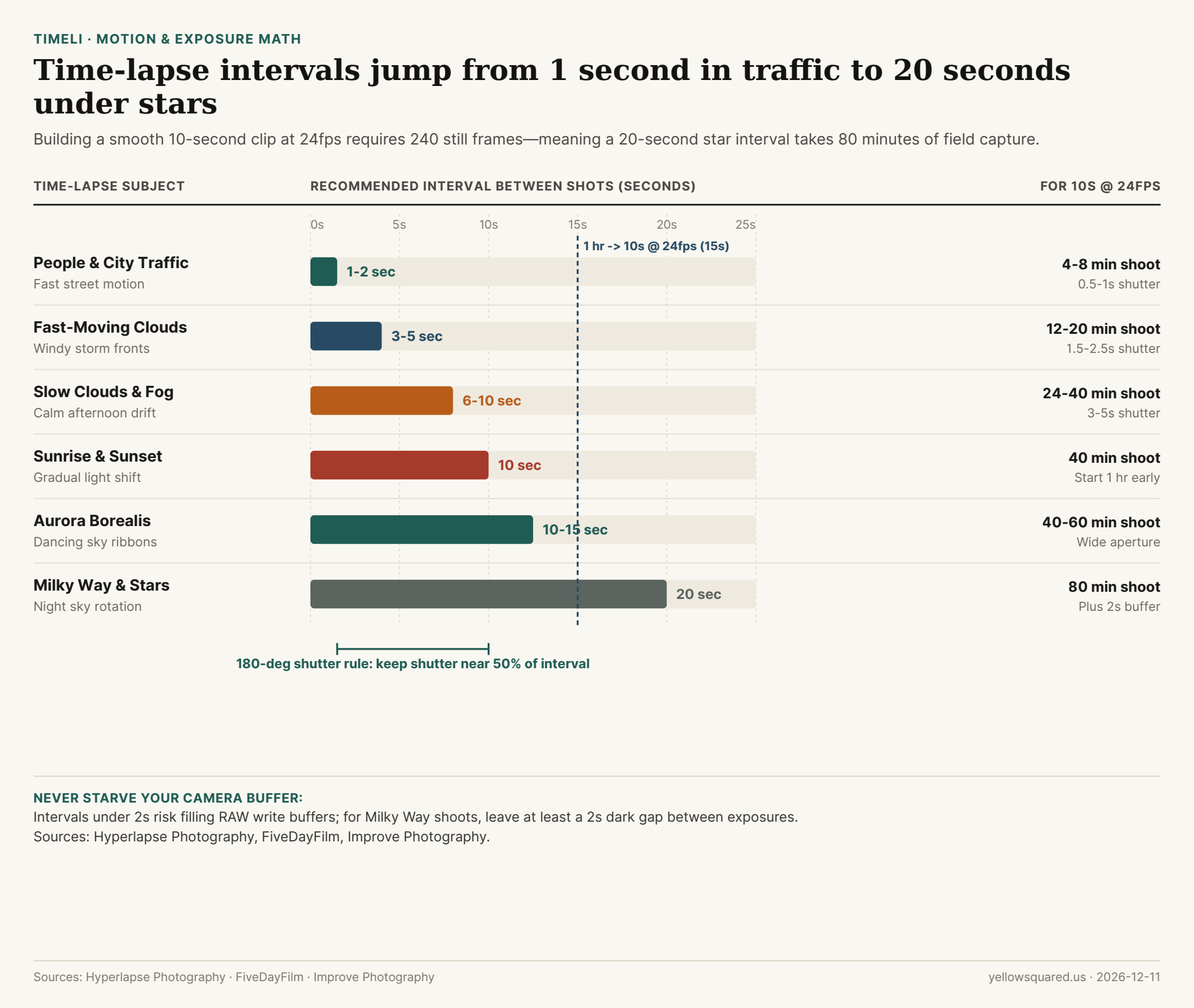
Interval Benchmarks by Subject
As detailed in Hyperlapse Photography's interval reference and Improve Photography's starter guide, choosing the wrong interval either makes clouds crawl or turns pedestrians into jarring teleporting blurs:
| Subject | Interval | Time for 10s Clip (24fps) | Key Field Tip |
|---|---|---|---|
| People & City Traffic | 1–2 seconds | 4–8 minutes | Avoid <2s if RAW buffer fills quickly |
| Fast-Moving Clouds | 3–5 seconds | 12–20 minutes | Pair with 1.5s–2.5s shutter for blur |
| Slow Clouds & Fog | 6–10 seconds | 24–40 minutes | Use ND filter in bright daylight |
| Sunrise & Sunset | 10 seconds | 40 minutes | Start 1 hour before/after peak color |
| Aurora Borealis | 10–15 seconds | 40–60 minutes | Keep ISO high enough to freeze pillars |
| Milky Way & Stars | 20 seconds | 80 minutes | Leave 2s buffer gap after shutter closes |
| Moving Shadows / Construction | 60s / 1–5 min | 3–4+ hours | Lock white balance and manual focus |
The 180-Degree Shutter Rule and Buffer Margin
To prevent choppy, strobe-like motion between frames, FiveDayFilm recommends following the cinema 180-degree shutter rule: set your shutter speed to roughly half your interval—for example, a 0.5-second shutter on a 1-second interval, or a 3-to-5-second shutter on a 6-to-10-second cloud interval. At night, always keep at least a 2-second dark gap between the end of one exposure and the start of the next so your camera can flush the image to the memory card without dropping frames.
"A 10-second clip requires 240 photos at 24fps, 250 at 25fps, or 300 at 30fps—so compressing 1 hour of real time into 10 seconds at 24fps calls for a 15-second interval." — Hyperlapse Photography
To dial in exact frame counts, clip durations, and battery-safe shooting windows before you set up your tripod, calculate time-lapse intervals in Timeli.