
JPEG vs. PNG vs. WebP vs. AVIF: Which Image Format Gives Smaller Files Without Blurry Text?
Images make up roughly 45% to 65% of total page bytes on the median website, directly driving Largest Contentful Paint (LCP). Yet picking the smallest format blindly can backfire: saving a UI screenshot or chart as a lossy JPEG creates fuzzy mosquito noise around letters, while saving a hero photograph as a 24-bit PNG bloats file size 5x to 10x.
As documented in SammaPix's 2026 web format benchmarks, Target Internet's Squoosh & Can I Use summary, and Imgix's format documentation, combining WebP and AVIF solves both problems once you separate photos from sharp-edged graphics. Batch-convert, resize, and optimize PNG, JPEG, and WebP assets in BatchPad right in your workflow.
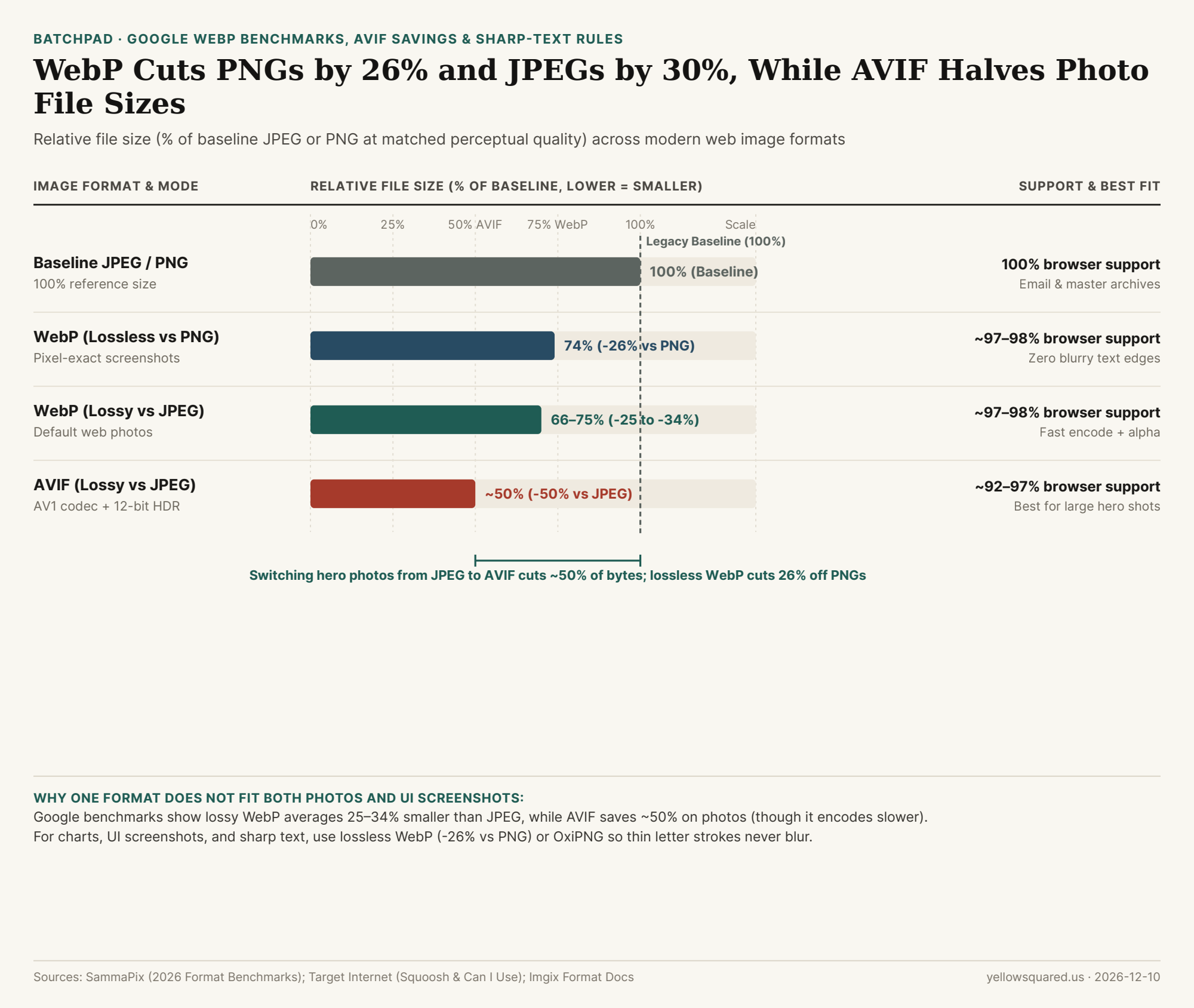
Choosing the Right Format by Image Type
- Photos & Blog Heroes (Use AVIF or Lossy WebP): Google's compression studies show lossy WebP is 25% to 34% smaller than JPEG at equal quality (~97–98%+ browser support). AVIF shrinks photographic files roughly 50% vs. JPEG (~92–97% browser support), though AVIF takes noticeably longer to encode—so use AVIF for large hero images inside a
<picture>tag with a WebP fallback. - Screenshots, Charts & Sharp Text (Use Lossless WebP or OxiPNG): Lossless WebP preserves every pixel identically to PNG while cutting file size by an average of 26%, keeping thin fonts and UI borders razor-sharp.
"Use lossy WebP (25–34% smaller than JPEG) or AVIF (~50% smaller) for photographs, and lossless WebP (-26% vs. PNG) or OxiPNG whenever sharp text or flat UI edges matter."
Web Image Format Comparison Table
Reference file-size savings, transparency, and browser support (download the raw CSV dataset):
| Format | Compression | Size Savings | Transparency | Best Web Use Case |
|---|---|---|---|---|
| JPEG (MozJPEG) | Lossy | Baseline (100%) | No | Email & legacy compatibility |
| PNG (OxiPNG) | Lossless | 5x–10x JPEG on photos | Yes | Master archives & pixel-exact UI |
| WebP (Lossy) | Lossy | -25% to -34% vs. JPEG | Yes | Default all-around web photos |
| WebP (Lossless) | Lossless | -26% vs. PNG | Yes | Screenshots & charts with text |
| AVIF (AV1) | Lossy / Lossless | ~-50% vs. JPEG | Yes + HDR | Large hero photos via <picture> |