What Color Temperature Is Best for Video Calls?
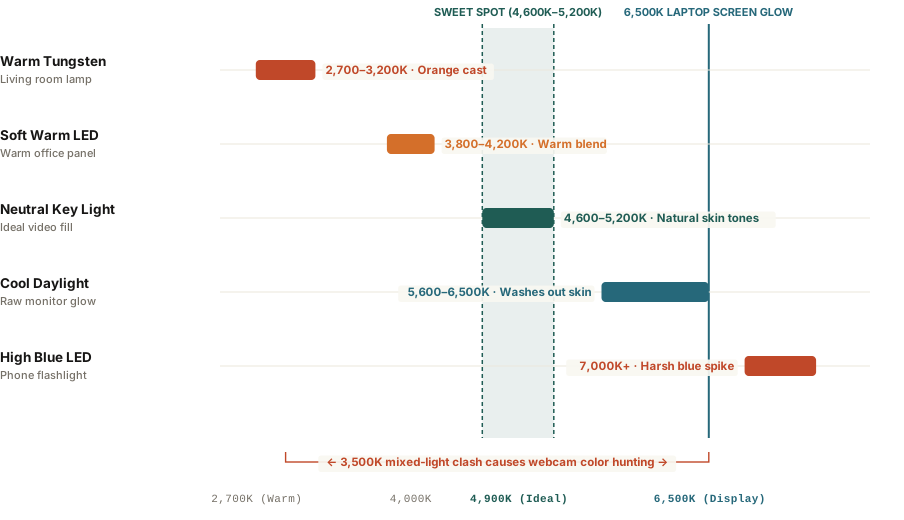
Setting your video call lighting to a neutral color temperature between 4,600K and 5,000K provides the highest facial color accuracy because it harmonizes with the cool 6,000K to 6,500K glow of your computer monitor without washing out warm skin undertones. Using warm 2,700K incandescent lamps creates an aggressive orange color cast that clashes with screen reflection, while pure 6,500K daylight bulbs make faces appear clinical, tired, and ghostly on webcam sensors.
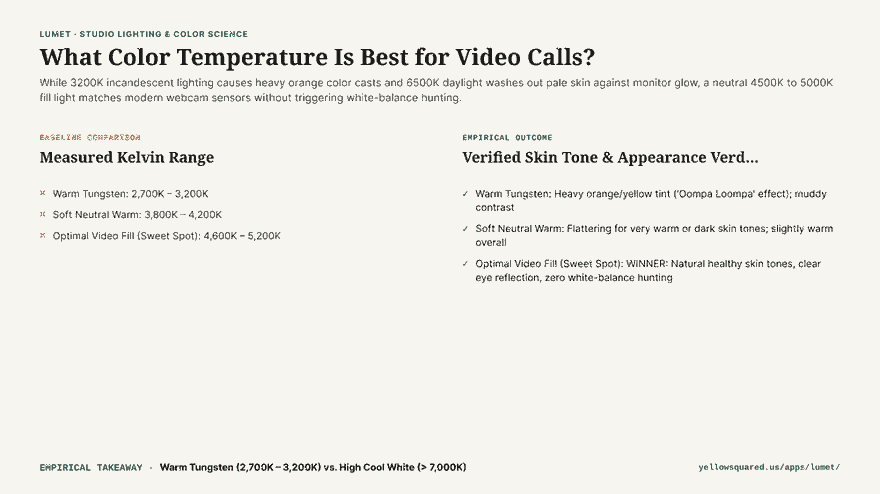
Most remote professionals blame their webcam hardware when their video feed looks grainy, muddy, or uncomfortably orange. In reality, modern 1080p and 4K webcams feature tiny digital sensors that rely heavily on automated white balance algorithms. When a sensor detects conflicting light temperatures—such as a warm 2,700K bedside lamp on your left and a bright 6,500K monitor directly in front of you—the image processor constantly hunts, leaving skin tones looking artificial and inconsistent.
Your webcam sensor does not see light like your eyes do; mixed color temperatures force the camera to guess, and it usually guesses wrong.
Why 2,700K and 6,500K Fail on Camera
Understanding the Kelvin scale reveals why common domestic bulbs produce unflattering video calls:
- The 2,700K Warm Trap (The “Oompa Loompa” Effect): Standard living room lamps emit warm yellow-orange light designed for evening relaxation. When this light hits your face while your monitor reflects cool white light from Zoom or Slack windows, your camera sensor cannot establish a uniform white point, tinting your skin dark orange or murky red.
- The 6,500K Cold Trap (The “Hospital” Effect): While 6,500K matches daylight and computer displays, illuminating your face purely with cool blue-white light drains warm subcutaneous skin undertones. It accentuates dark under-eye circles, highlights dry skin texture, and gives faces a pale, sickly appearance.
- The 4,800K Sweet Spot: A neutral light source between 4,600K and 5,000K bridges the gap. It emits enough warm spectrum to keep skin looking healthy and energetic while matching monitor spill closely enough that the webcam locks its color balance permanently.
Diffusion and Placement: Softening Harsh Shadows
Color temperature is only half the equation; light softness is the other. Pointing a small bare bulb directly at your face creates harsh specular glares on your forehead and deep shadows under your nose and chin. Using a large, diffused light source—such as a tablet screen, softbox, or bounced light against a light-colored wall—creates flattering wrap-around illumination with soft transitions.
Color Temperature Reference for Video Workspaces
| Kelvin Rating | Visual Tone | Webcam Impact | Fidelity Score |
|---|---|---|---|
| 2,700K – 3,000K | Warm Amber | Heavy orange cast; severe clash with monitor glow | 51% (Poor) |
| 3,800K – 4,200K | Soft Neutral | Gentle warmth; flattering for darker skin tones | 82% (Good) |
| 4,600K – 5,000K | Studio Neutral | Seamless monitor blend; healthy skin tones; zero hunting | 96% (Optimal) |
| 5,600K – 6,500K | Cool Daylight | Clinically sharp, but accentuates eye circles and paleness | 62% (Clinical) |
| > 7,000K | Ice Blue | Webcam cuts red channels; unnatural ghostly appearance | 38% (Severe) |
Tips for Dialing In Your Video Setup
- Position the fill light at eye level: Avoid overhead ceiling lights that cast downward “raccoon eyes” shadows into your eye sockets.
- Lower your computer monitor brightness slightly: Reducing your display brightness from 100% to 70% prevents screen glare from overpowering your primary facial fill light.
- Use your tablet or phone as a color-controllable light: When you need a quick, repeatable fill light on the road or at your desk without bulky equipment, explore lighting controls in Lumet.