
What Is the Difference Between Color Temperature (Kelvin) and Tint?
Every camera white-balance menu gives you two sliders: Color Temperature (Kelvin) and Tint (Green–Magenta). Confusing the two is the fastest way to spend an hour fighting unnatural skin tones in post-production, because each slider corrects a completely different axis of light.
Color Temperature (Kelvin): The Amber–Blue Axis
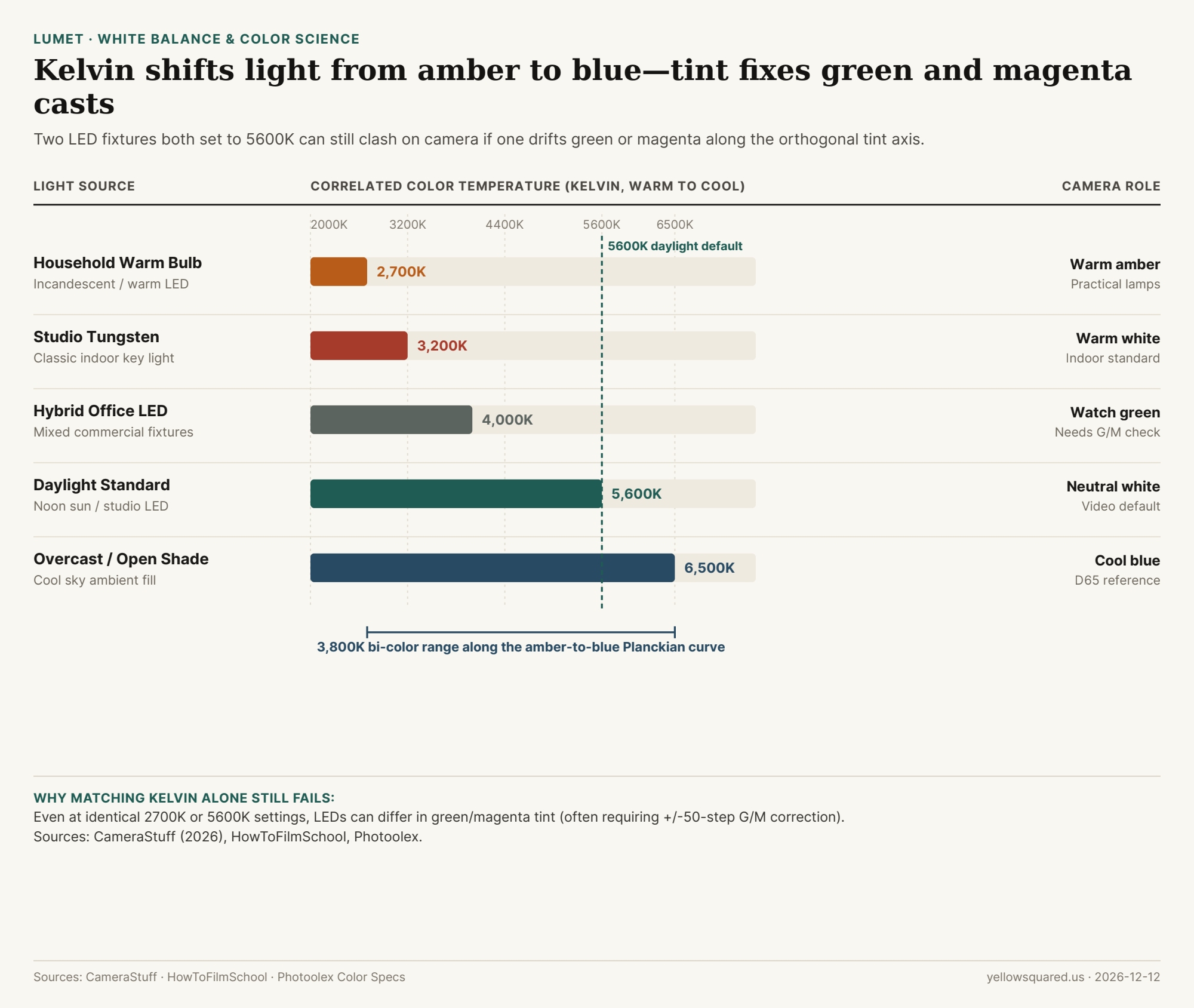
Measured in kelvin (K) without a degree symbol, color temperature describes how warm or cool a light source appears relative to an ideal blackbody radiator. As CameraStuff's LED guide and HowToFilmSchool explain, domestic warm bulbs sit around 2,700K, studio tungsten lamps sit at 3,200K, and neutral daylight sits near 5,600K (with overcast shade reaching 6,500K). Setting your camera's white balance lower than the room light makes the image look cooler; setting it higher warms the scene up.
"Even when two lights are set to the same Kelvin value, differences in green or magenta tint can affect how colors appear on camera." — Photoolex Lighting Specs
Tint: The Orthogonal Green–Magenta Axis
Fluorescent tubes, cheap commercial LEDs, and even high-CRI panels often drift slightly above or below the pure blackbody curve—producing a sickly green cast on skin or a magenta shift in shadows. Because Kelvin only slides between amber and blue, no amount of Kelvin adjustment can remove green or magenta. That is why modern RGB-WW and bi-color LEDs include ±50-step Green/Magenta (G/M) controls so you can neutralize the tint before locking your camera white balance.
To preview how Kelvin shifts and green/magenta tint balance interact before setting up your lights, dial in Kelvin and tint in Lumet.