
Why Do iPhones Save Photos as HEIC Instead of JPG? File Size, 10-Bit HDR, and When to Convert
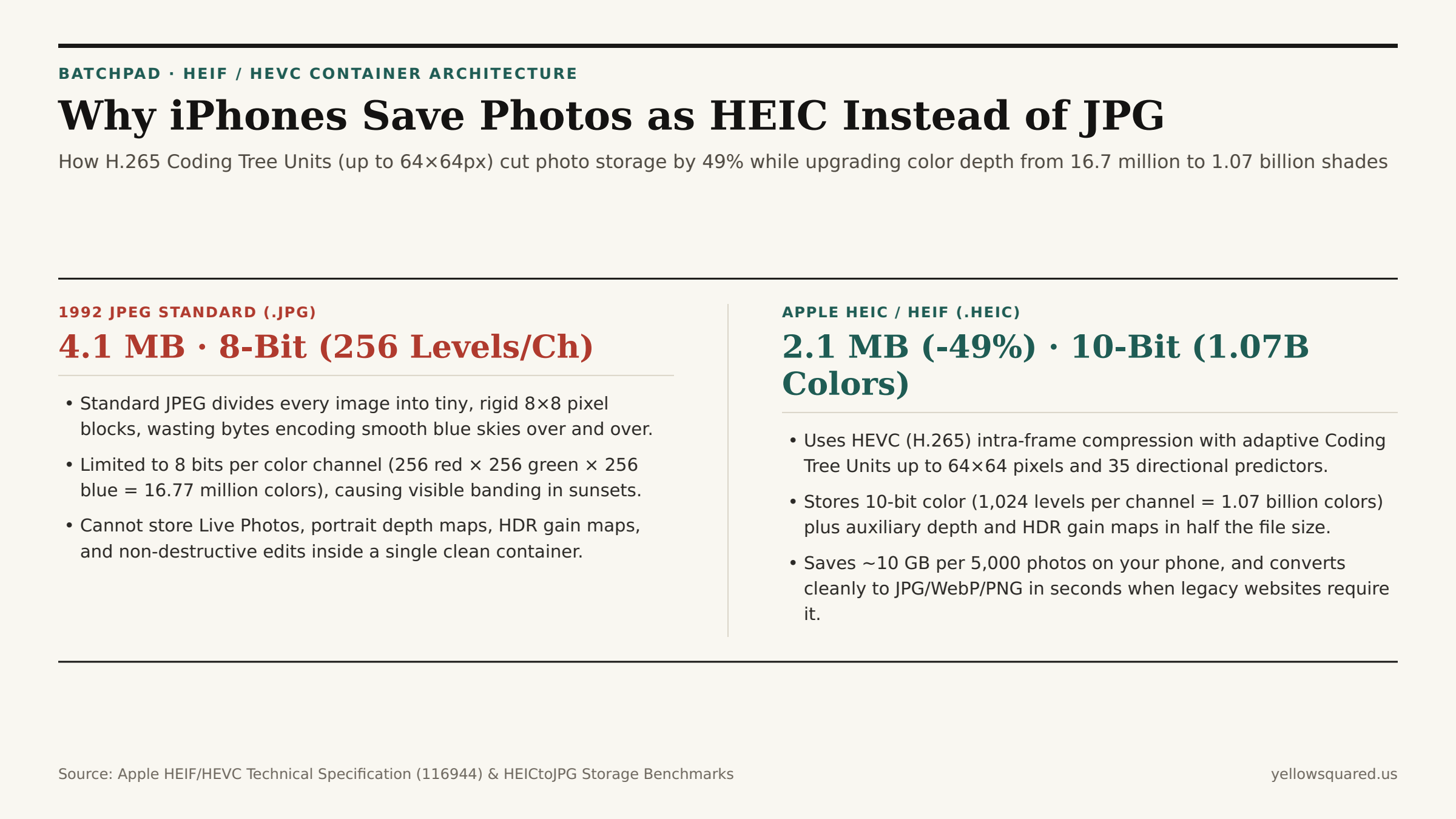
AirDrop a photo from a modern iPhone to a laptop or upload a camera-roll picture to an older government, insurance, or CMS web form, and you will inevitably run into the .HEIC file extension. Since the release of iOS 11 and macOS High Sierra, Apple has defaulted to capturing photos inside the High Efficiency Image File Format (HEIF / .heic) rather than the 1992 .jpg standard. The reason is pure compression and color engineering: as documented in Apple's Official HEIF and HEVC Technical Specification and measured across HEICtoJPG's Real-World Smartphone File Size Benchmarks, HEIC files are 40% to 50% smaller than equivalent-quality JPEGs while storing 10-bit HDR color (1.07 billion colors vs. JPEG's 16.7 million).
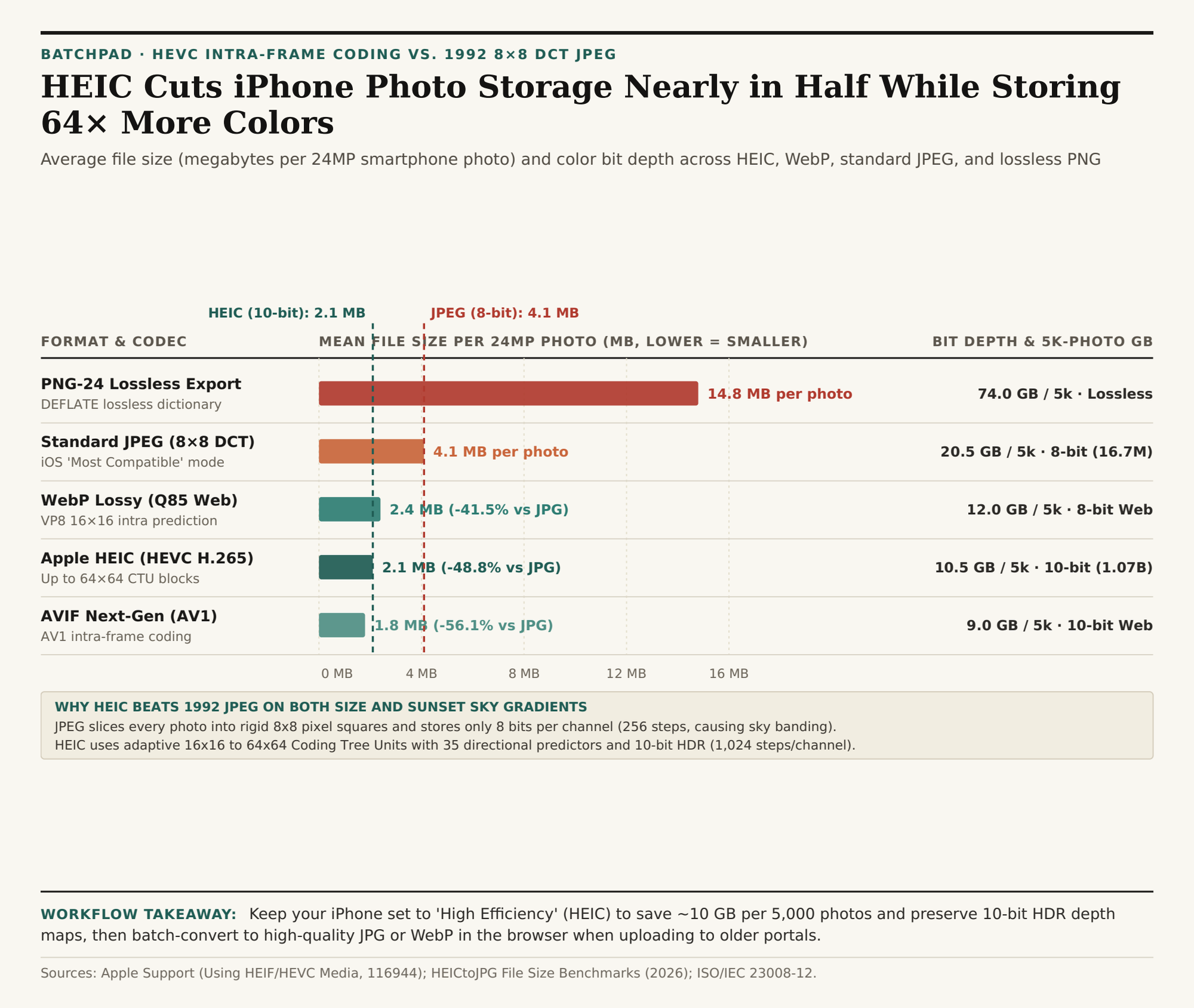
For a 24-megapixel default iPhone frame, switching from JPEG (~4.1 MB per photo) to HEIC (~2.1 MB per photo) saves roughly 10 gigabytes of flash storage for every 5,000 photos in your library. And when you need universal compatibility for a web upload or client deliverable, you don't have to sacrifice your phone's storage settings: Batch-convert HEIC photos in BatchPad directly in your browser without uploading private photos to a remote cloud server.
1. Adaptive 64×64 Coding Tree Units vs. Rigid 8×8 JPEG Blocks
Why does a .heic file take half the disk space of a .jpg at the exact same visual sharpness? The answer lies in thirty years of video codec evolution. Standard JPEG (standardized in 1992) slices every image into fixed 8×8 pixel squares and applies a Discrete Cosine Transform (DCT) to each tiny square independently. If a clear blue sky covers two million pixels at the top of your frame, JPEG must encode over 30,000 separate 8×8 blocks — and only supports rudimentary spatial prediction.
An .heic file is an ISO/IEC 23008-12 container whose image payload is compressed using the HEVC (H.265) intra-frame codec:
- Variable-Size Coding Tree Units (CTUs up to
64×64Pixels): Instead of fixed8×8squares, the HEVC encoder dynamically partitions the image into large64×64or32×32blocks across smooth gradients (skies, walls, skin tones, water) and subdivides down to16×16,8×8, or4×4blocks only along intricate edges (eyelashes, tree branches, typography). - 35 Intra-Frame Directional Predictors: Before storing residual pixel data, HEVC predicts the texture of each block from neighboring pixels along 33 angular directions (plus planar and DC modes), paired with an in-loop deblocking filter that eliminates the square "mosquito noise" halos characteristic of mid-quality JPEGs.
2. 10-Bit HDR Color (1.07 Billion Shades) + Depth & Gain Maps
File size is only half of the story. Classic baseline JPEG is strictly an 8-bit format: each red, green, and blue channel can only record 28 = 256 brightness steps (2563 = 16,777,216 total colors). When you shoot a golden-hour sunset or a bright window interior, 256 steps are often too coarse to represent smooth luminance transitions, resulting in visible stair-stepped "posterization" or sky banding.
Apple's HEIC pipeline supports 10-bit color depth ($2^10 = 1,024$ steps per channel, or 1.07 billion colors — 64x as many discrete color combinations as 8-bit JPEG). Furthermore, because HEIF is a multi-track container rather than a flat bitmap, a single .heic file simultaneously bundles:
- The primary 24MP or 48MP image frame;
- An embedded HDR Gain Map that tells XDR displays how to boost specular highlights up to 1,600–2,000 nits while displaying gracefully on standard SDR screens;
- A Portrait Depth / Disparity Map and semantic segmentation mattes (hair, skin, sky, glasses) so you can adjust synthetic aperture blur (
f/1.4tof/16) years after taking the shot.
"Switching your iPhone camera settings from 'High Efficiency' (HEIC) to 'Most Compatible' (JPEG) doubles your photo storage footprint and discards 10-bit HDR highlight headroom on every photo you take."
| Format & Profile | Compression Grid | Bit Depth & Colors | 24MP File Size | 5,000 Photos | Ideal Use Case |
|---|---|---|---|---|---|
Apple HEIC (.heic) |
HEVC (16×16 to 64×64 CTU) | 10-bit (1.07B colors) | 2.1 MB | 10.5 GB | Default camera capture & iCloud storage |
WebP Lossy (.webp) |
VP8 (16×16 macroblocks) | 8-bit (16.7M colors) | 2.4 MB | 12.0 GB | Fast web publishing & CMS blog images |
Standard JPEG (.jpg) |
1992 DCT (Fixed 8×8 blocks) | 8-bit (16.7M colors) | 4.1 MB | 20.5 GB | Legacy portals, print labs & universal email |
PNG-24 Lossless (.png) |
DEFLATE LZ77 lossless | 8/16-bit + Alpha | 14.8 MB | 74.0 GB | UI screenshots, logos & transparent overlays |
Best Practice: Capture in HEIC, Convert on Demand
Instead of forcing your iPhone into Most Compatible JPEG mode (Settings > Camera > Formats), leave your camera on High Efficiency (HEIC) so every master photo in your library retains 10-bit HDR data at half the storage cost. Whenever a web form, client portal, or publishing workflow requires .jpg, .webp, or .png, Batch-convert HEIC photos in BatchPad locally in your browser in seconds, and download the HEIC vs. JPEG benchmark CSV table.