
Why Do Images Look Washed Out After Uploading to the Web? Display P3 vs. sRGB Color Profiles Explained
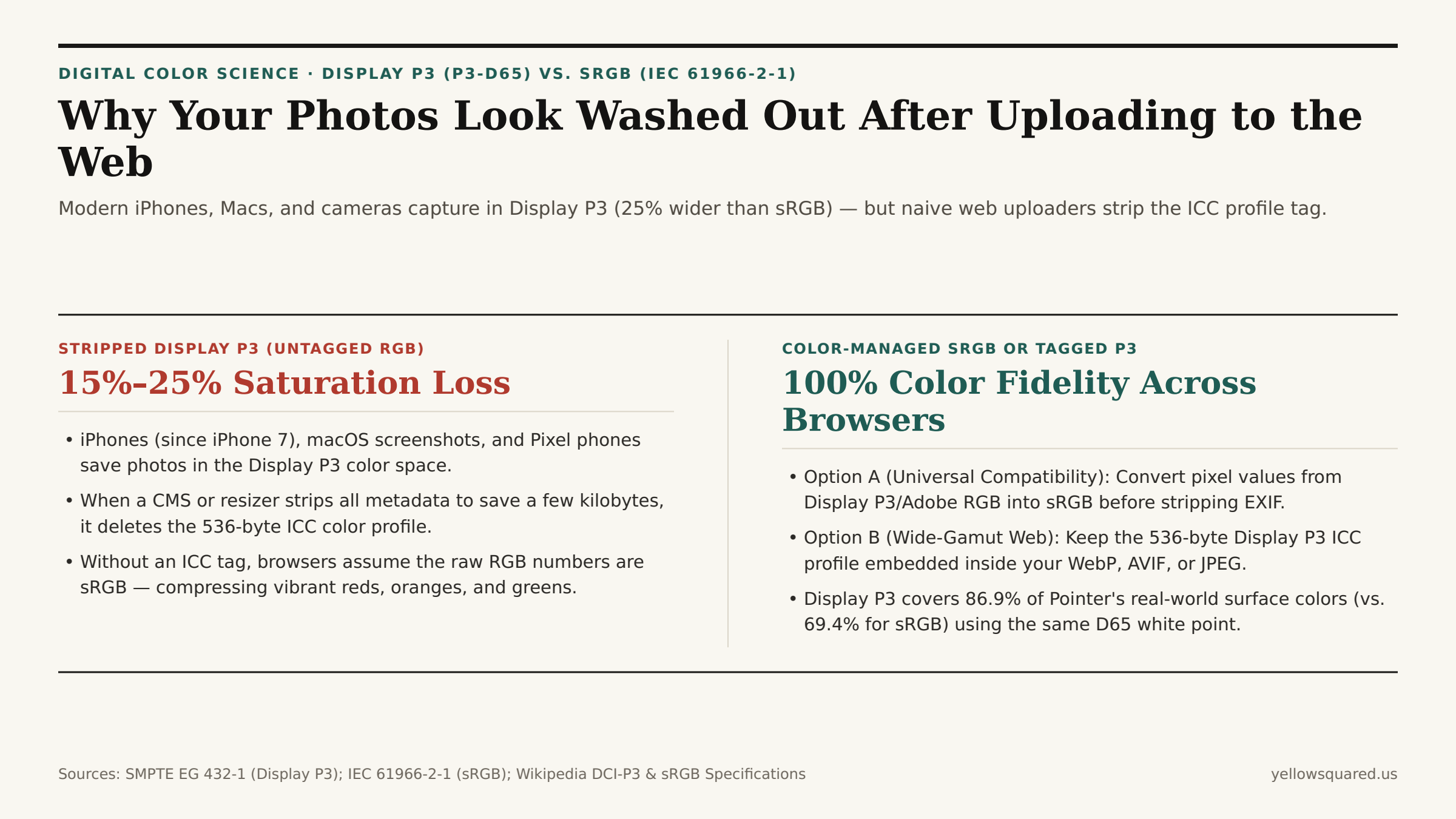
You spend twenty minutes color-grading a product photo, sunset landscape, or macOS UI screenshot on a modern MacBook Pro, iMac, or iPhone. On your screen, the coral reds, emerald greens, and golden skin tones look rich and luminous. Then you upload the image to a website CMS, social scheduler, or e-commerce store — and the published image suddenly looks 15% to 25% desaturated, muddy, and pale. Nothing happened to your monitor: your upload pipeline stripped the file's Display P3 ICC color profile and forced the browser to interpret wide-gamut RGB numbers as narrow 1996 sRGB.
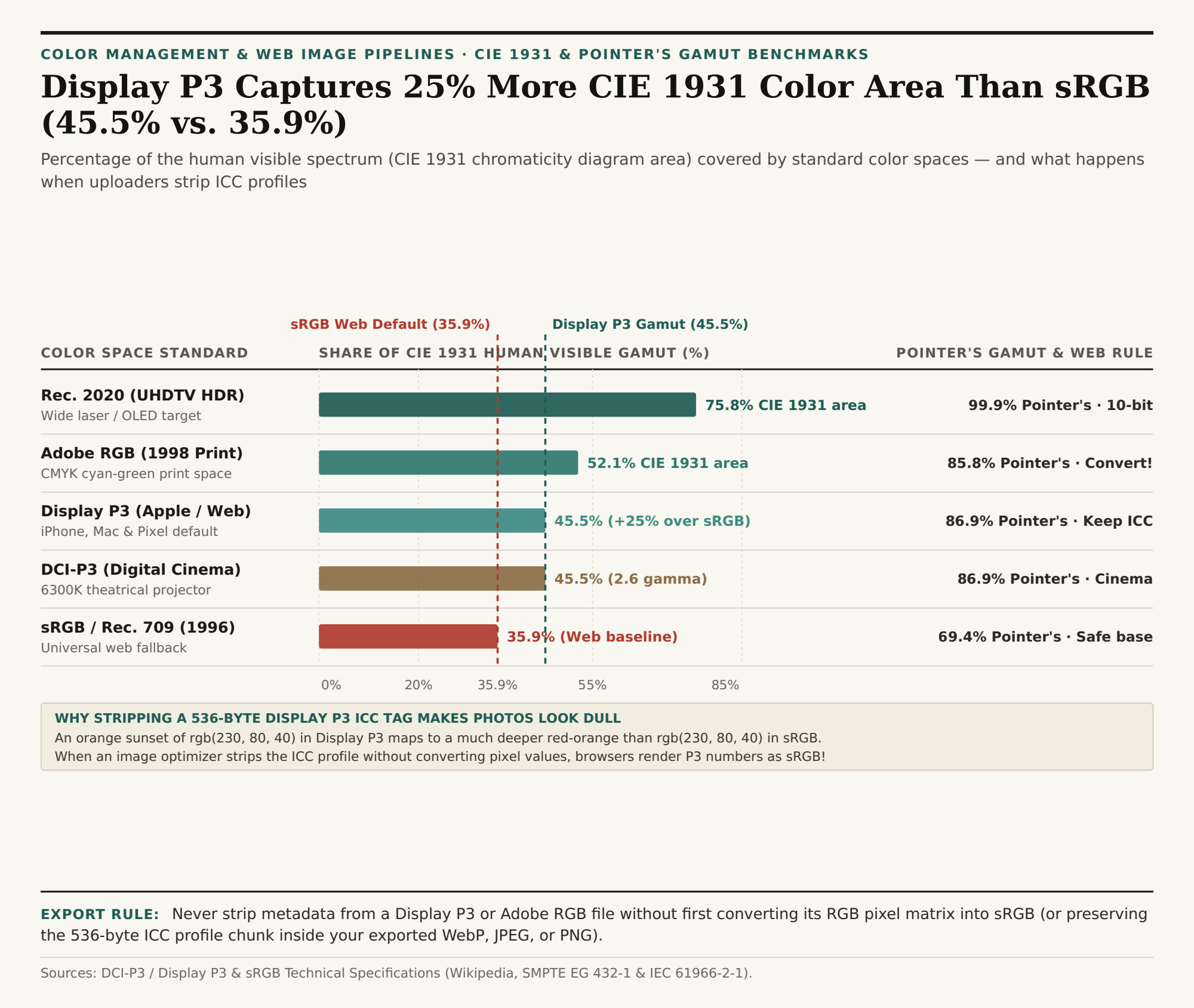
As documented in Wikipedia's Technical Specification for DCI-P3 and Apple Display P3 (SMPTE EG 432-1) and the IEC 61966-2-1 sRGB Standard Reference, Display P3 covers 45.5% of the CIE 1931 human visible chromaticity diagram — a 25% larger surface area (and ~50% larger 3D color volume) than sRGB (35.9%). To batch-convert images cleanly for the web without losing color accuracy or exposing private files to a remote cloud server, Batch-convert and optimize web images in BatchPad.
1. The Chromaticity Math: Why rgb(230, 80, 40) Means Two Different Colors in P3 vs. sRGB
A raw RGB pixel triplet like rgb(230, 80, 40) is not an absolute physical color — it is a set of relative coordinates ("90% of this color space's red primary, 31% of its green primary, 16% of its blue primary"). Which actual wavelengths of light your screen emits for rgb(230, 80, 40) depends entirely on the chromaticity primaries defined by the file's embedded ICC profile:
sRGB/ Rec. 709 (1996 Web Baseline,35.9%CIE 1931 Area): Designed in 1996 by HP and Microsoft around the phosphor limits of 1990s CRT monitors (Wikipedia sRGB). It covers35.9%of the CIE 1931 chromaticity diagram and69.4%of Pointer's gamut (the catalog of real-world reflective surface colors).Display P3/ P3-D65 (Modern Wide Gamut,45.5%CIE 1931 Area): Standardized in SMPTE EG 432-1 and adopted across Apple iPhones (since iPhone 7), Macs (since 2015), and Google Pixel flagships (Wikipedia DCI-P3 / Display P3). Display P3 keeps the exact sameD65(6504 K) daylight white point and~2.2sRGB transfer curve assRGB, but pushes the red primary (615 nm) and green primary (544.2 nm) 25% further out toward pure spectral laser light — covering45.5%of CIE 1931 and86.9%of Pointer's real-world surface colors.Adobe RGB (1998)(52.1%CIE 1931 Area): Built for CMYK print prepress with a bluish-green primary (534.7 nm), covering52.1%of CIE 1931 and85.8%of Pointer's gamut.
2. What Happens When a CMS or Script Strips the 536-Byte ICC Profile
To reach the exact same moderately saturated skin tone or coral button color that represents 100% red in sRGB, a Display P3 file only needs to dial its wider red channel to roughly 82%. As long as the 536-byte Display P3 ICC profile header remains attached to the .jpg, .png, or .webp file, Safari, Chrome, Edge, and Firefox read the profile and expand that 82% P3 value to its true vivid color.
However, many server-side thumbnail generators and command-line minifiers run a blanket "strip all metadata" flag (-strip) to scrub EXIF camera tags. When that flag deletes the ICC profile chunk without performing a mathematical 3×3 matrix conversion of the pixels:
- The W3C CSS and HTML specification mandates that any untagged image on the web must be rendered as
sRGB; - Your
82%Display P3 red value is now displayed as82%of the much narrowersRGBred primary; - Every saturated red, orange, golden skin tone, and lime green drops in chroma by 15% to 25%, turning warm skin grayish-tan and vibrant product photos dull!
"Stripping GPS and camera EXIF tags saves privacy and bytes — but stripping the 536-byte ICC color profile from a Display P3 image without converting its pixels to sRGB silently drains 20% of the saturation out of every photo."
| Color Space | White Point & Curve | CIE 1931 Area | Pointer's Gamut | vs. sRGB Area | Web Upload Best Practice |
|---|---|---|---|---|---|
sRGB (IEC 61966-2-1) |
D65 / ~2.2 sRGB curve | 35.9% | 69.4% | 1.00x (Baseline) | Safe everywhere, even if untagged |
Display P3 (P3-D65) |
D65 / ~2.2 sRGB curve | 45.5% | 86.9% | 1.25x (+50% vol) | Must keep ICC tag OR convert to sRGB |
DCI-P3 (SMPTE 431-2) |
~6300K / 2.6 gamma | 45.5% | 86.9% | 1.25x (Cinema) | For digital cinema projectors only |
Adobe RGB (1998) |
D65 / 2.2 pure gamma | 52.1% | 85.8% | 1.45x (Print) | Always convert to sRGB before web export |
Rec. 2020 (UHDTV) |
D65 / 10–12 bit HDR | 75.8% | 99.9% | 2.11x (HDR) | 10-bit HDR video & AVIF/HEIC masters |
How to Batch-Convert Web Images Without Washing Out Colors
When preparing a folder of iPhone .heic photos, macOS screenshots, or Lightroom exports for a website, use a browser-side pipeline that renders images through a color-managed canvas into standard sRGB WebP, JPEG, or PNG — locking in consistent colors across every device even when EXIF metadata is removed. Batch-convert and optimize web images in BatchPad locally in your browser, and download the Display P3 vs. sRGB color gamut CSV table.