
Why Do Sunset Time-Lapse Videos Flicker, and How Does Holy Grail Exposure Ramping Fix It?
Few things ruin an otherwise dramatic sunset time-lapse faster than distracting frame-to-frame brightness pulsing. Even when your camera sits locked on a heavy tripod, subtle mechanical and software quirks can introduce visible flicker across hundreds of sequential frames.
As detailed in the LRTimelapse Holy Grail workflow guide, MatJoez's Holy Grail shooting guide, and Emeric's flicker-removal breakdown, eliminating flicker starts in-camera before you ever open post-production software. Calculate intervalometer shot counts, clip duration, and ramping windows in Timeli before heading out for sunset.
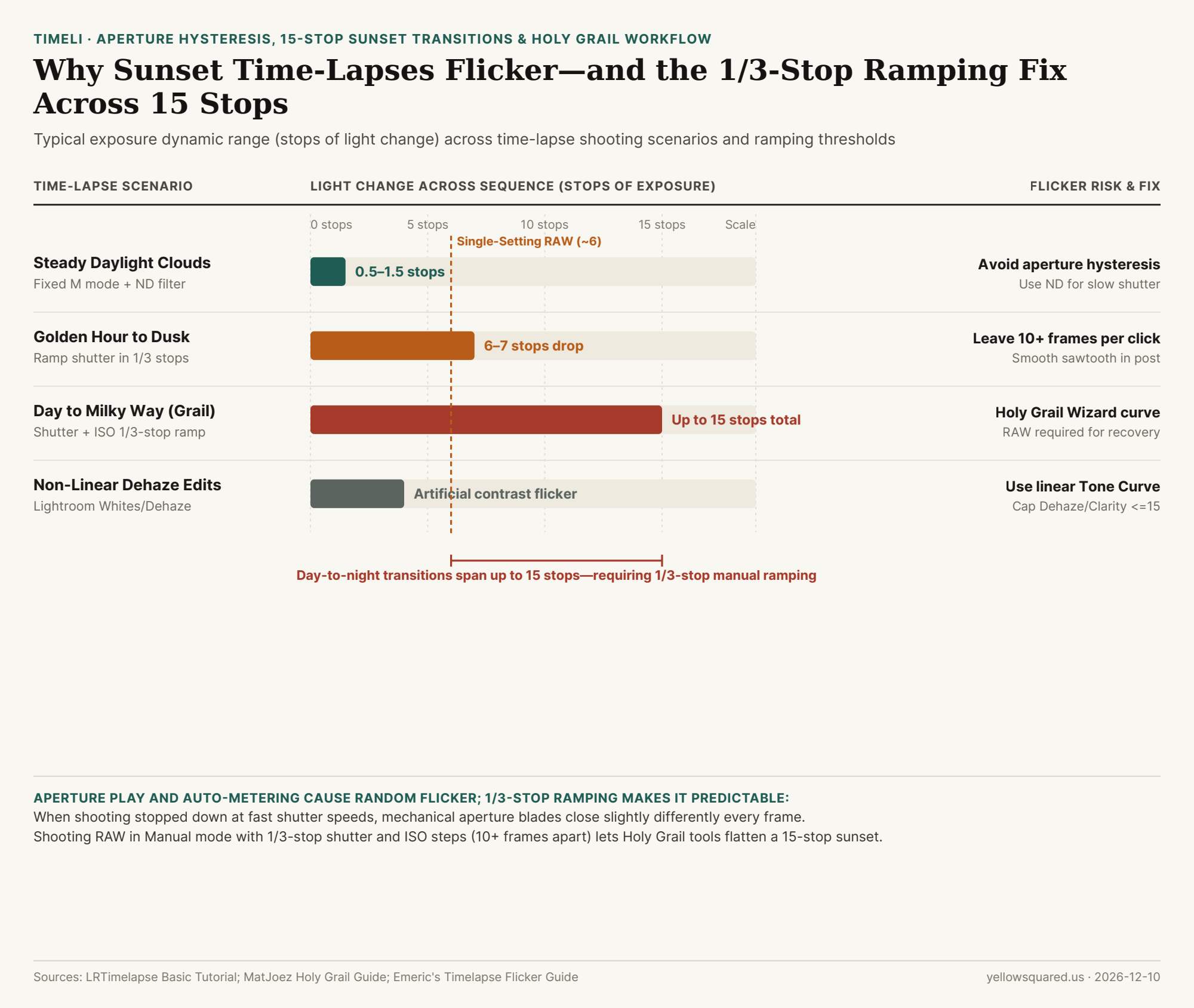
The Three Root Causes of Time-Lapse Flicker
- Aperture Blade Hysteresis: On most DSLR and mirrorless lenses, the iris opens wide to meter and snaps shut to your chosen f-stop for each shot. Tiny mechanical variations between frames—especially at
f/8tof/16with fast shutter speeds—produce random brightness flicker. Shooting wide open with an ND filter eliminates iris travel. - Auto-Exposure & Auto-ISO Jumps: Letting the camera meter automatically causes sudden brightness swings whenever a cloud or car crosses the frame. Always lock Manual (
M) mode, manual white balance, and manual focus. - Non-Linear Editing Sliders: Heavy Clarity, Dehaze, Whites, or Blacks adjustments evaluate each RAW frame independently, creating contrast flicker; use a linear Tone Curve instead.
"A sunset-to-Milky-Way transition spans up to 15 stops of light—ramping shutter speed and ISO in 1/3-stop steps at least 10 frames apart turns chaotic flicker into predictable steps that software can smooth cleanly."
How Holy Grail Exposure Ramping Works
When shooting a day-to-night sequence, shoot RAW in Manual mode and monitor your histogram as the sun sets. Each time exposure drops by one-third of a stop, nudge your shutter speed slower by 1/3 stop (leaving at least 10 frames between adjustments). Once shutter speed reaches roughly half your interval, ramp ISO in 1/3-stop clicks—then let a Holy Grail deflicker pass apply inverse compensation across the sawtooth brightness curve.
Flicker Causes & Fixes Reference Table
Use this field and post-production checklist (download the raw CSV dataset):
| Flicker Source | Root Cause | Field Prevention | Post-Production Fix |
|---|---|---|---|
| Aperture Hysteresis | Iris closes inconsistently per shot | Shoot wide open + ND filter | Visual Deflicker reference pass |
| Auto Metering | Sudden ISO or shutter jumps | Lock Manual mode, WB & focus | Never use Auto ISO on tripods |
| Holy Grail Steps | 15-stop day-to-night light drop | 1/3-stop clicks, 10+ frames apart |
Holy Grail Wizard curve smoothing |
| Contrast Flicker | Heavy Dehaze / Whites / Blacks | Shoot RAW for clean headroom | Keep Dehaze/Clarity <=15; use Tone Curve |