How to Post a Landscape Photo on Instagram Without Cropping
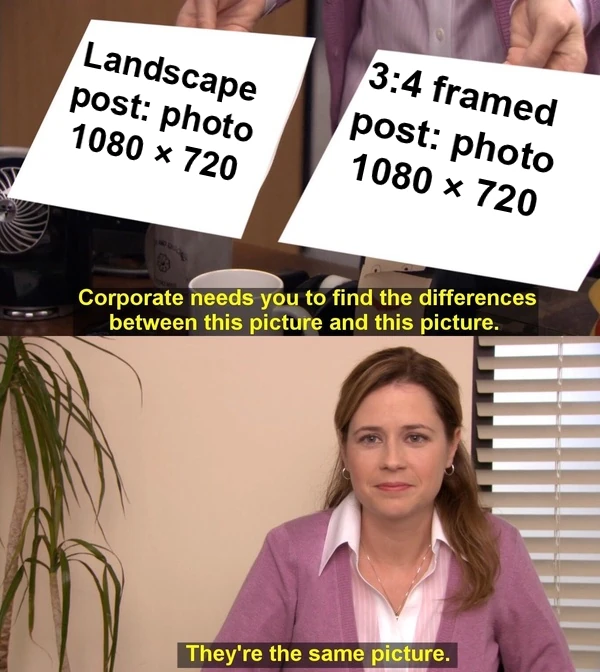
Most landscape photos don't need cropping for Instagram. Instagram keeps a photo's shape when its width-to-height ratio falls between 1.91:1 and 3:4, and a standard 3:2 or 16:9 camera frame falls inside that range. A border only changes the shape of the post. The photo inside it stays the same size.
So the useful question is what you want the post to look like. Post the photo as a wide rectangle and it keeps every pixel of the scene. Put it in a tall 3:4 frame and the post takes up more of the screen, but the extra height is fill. Crop it to 3:4 and the whole post is photo, but a 3:2 picture loses half its width.
What Instagram keeps
Instagram's Help Center says it keeps a photo at its original resolution, up to 1,080 pixels wide, when the aspect ratio is between 1.91:1 and 3:4. That means 1,080 pixels wide and 566 to 1,440 pixels tall. Instagram crops a photo with any other ratio to fit a supported one (Instagram Help Center, image resolution, checked 14 October 2026).
| Ratio | Fits as is? | Posted size | Kept by a 3:4 crop |
|---|---|---|---|
| 4:3 (phones) | Yes | 1,080 × 810 | 56% of width |
| 3:2 (cameras) | Yes | 1,080 × 720 | 50% of width |
| 16:9 (video) | Yes | 1,080 × 608 | 42% of width |
| 2:1 (panorama) | No: cropped | 1,080 × 566 | 38% of width |
Most phones shoot 4:3 and most interchangeable-lens cameras 3:2. The last column is simple geometry: a 3:4 crop keeps 0.75 divided by the photo's ratio. For a 3:2 photo that's 0.75 ÷ 1.5, or half the width. The same number tells you how much of a 3:4 frame the uncropped photo fills: a 3:2 photo fills half the frame's height, and the other half is border. Download the ratios, calculation and render records.
The same photo three ways
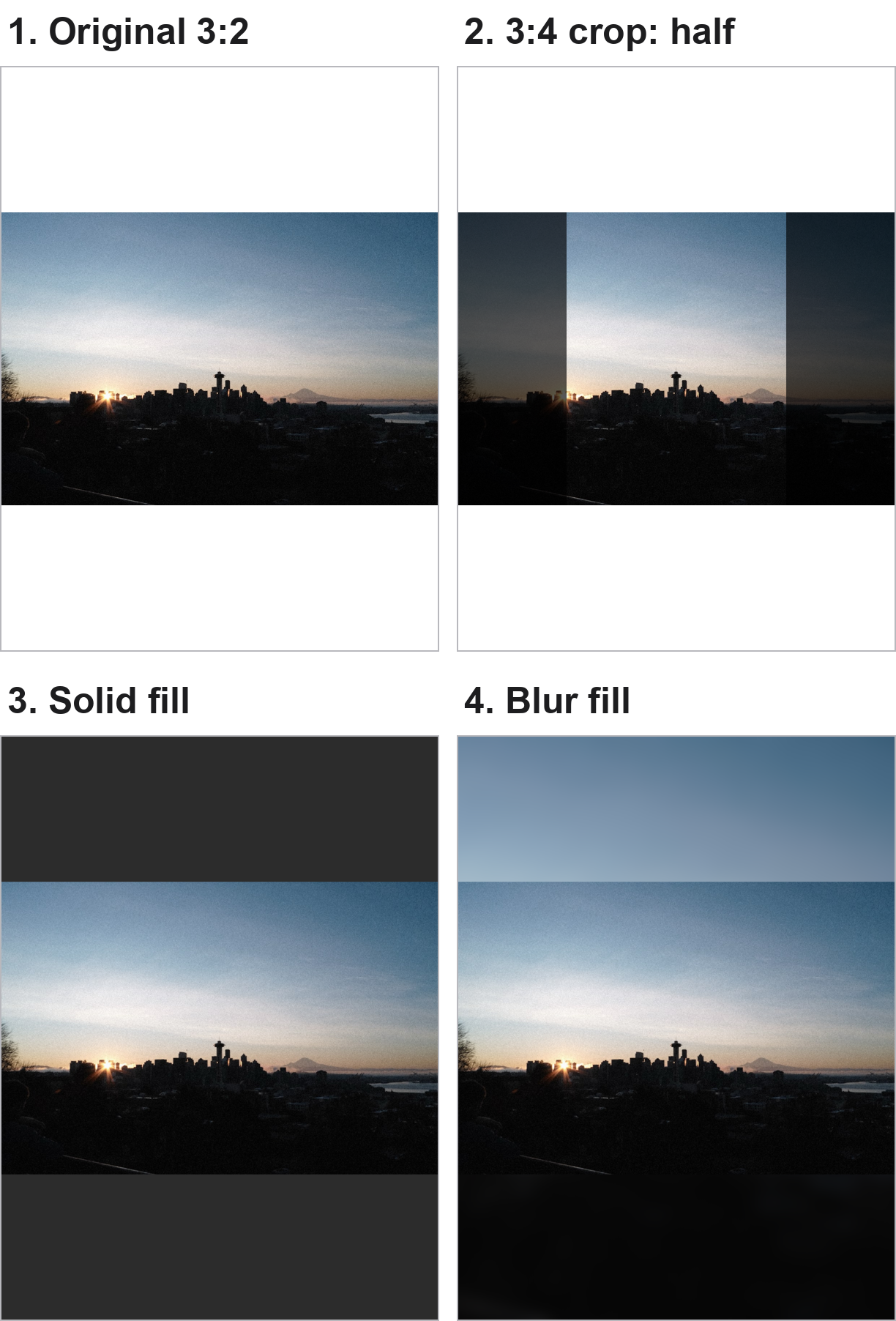
In panel 2 the Space Needle survives, but the sunburst on the left and Mount Rainier on the right are both at the edge of the crop. The wide skyline was the point of this picture, so a crop gives away the subject to fill the frame.
Panels 3 and 4 keep the whole skyline. The photo spans the frame's full width, so it's displayed exactly as wide as it would be in a plain landscape post.
When a frame is worth it
A tall frame makes sense when the post's shape matters more than the photo's share of it:
- Consistent posts. If your recent posts are 3:4 portraits, framed landscapes keep the same shape as you scroll your own profile.
- Profile grid tiles. Instagram's profile grid moved to taller rectangular tiles in 2025. Tests reported by Kapwing found wider posts are centre-cropped in that tile, and Instagram lets you adjust a post's thumbnail. Instagram's Help Center doesn't document the tile size, so treat this as reported behaviour. A 3:4 framed post shows the whole photo in the tile, small, inside its border.
- Panoramas wider than 1.91:1. Instagram crops these. A frame keeps the full width, at a small size. To show a panorama large, split it across carousel panels instead.
If none of those applies, post the landscape as it is. It's the same photo with less empty space around it.
Solid fill or blur fill
A solid fill draws a clear edge around the picture, so the post reads as a framed print. A blur fill stretches the photo's own colours into the bands; in panel 4 the sky continues upward and the dark ground continues downward. That looks less boxed-in, but it can also look like an unfinished stretch of the photo, and a busy photo turns into a busy blur.
Pick by the edges of your photo. Calm skies and dark foregrounds blur well. Strong colour or detail near the top and bottom edges usually looks better with a plain border in a neutral colour, or a colour taken from the photo.
Framing a batch in BatchPad
- Add the photos to the Pad.
- Choose the Instagram Post preset. It sets a 3:4 canvas and exports at 1,080 × 1,440.
- Open Fill and pick a solid colour, or Blur. Background Blur is a Pro feature in the current app; solid colours are free.
- Check a few edge cases, like a very wide panorama or a portrait in the same batch, then export.
- In Instagram, check the preview before posting. The frame is already part of the image, so Instagram has nothing to crop.
BatchPad applies the same frame to every photo in the batch, so a mixed set of landscapes comes out the same shape. That is the app's role in this workflow. We haven't measured upload quality or engagement, and this page makes no claim about either. For why a sharp file can still look soft after posting, see the megapixel trap.
The previews were rendered on 14 October 2026 with BatchPad's preset renderer from the app's current code. The blur version uses the Instagram Post preset with Fill › Blur applied; it is not a separate built-in preset.